
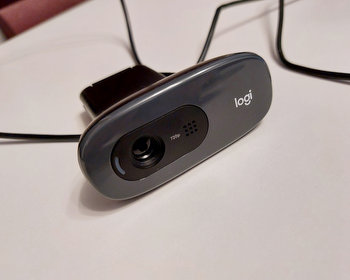
Simple app for displaying the webcam in Linux: Cheese.
Under Windows there is the camera app with which you can test the webcam, make small recordings, etc.
In Linux there is often no such app installed, now I wanted to test my new webcam. A small app that does this is “Cheese”. It can display the webcam image, take photos and create videos. There are also settings.
The installation is simple:
sudo apt install cheese
The app can then be started and used.

SaleBestseller No. 1

UGREEN FineCam Lite 1080P, Dual-Mikrofon, Fixfokus, mit Privacy Cover...
- 1080P Full HD Auflösung: Egal, ob Sie Ihr Videospiel live auf YouTube übertragen oder eine...
- Webcam mit Fixfokus: UGREEN Webcam für PC verfügt über einen Fixfokus, wodurch Unschärfen durch...
- Integrierte Mikrofone mit Geräuschunterdrückung: USB Kamera mit Doppelmikrofon zur Aufnahme von...
Bestseller No. 2

Logitech Brio 100 Full HD-Webcam, 1080p Webcam für Streaming - Graphit...
- Integriertes Mikrofon: Die PC-Webcam mit integriertem Mikrofon sorgt dafür, dass Ihre...
- Volle Klarheit: Dank der Full-HD-1080p-Auflösung sind Sie mit dieser Videokonferenzkamera in...
- Plug-and-Play-Komfort: Die externe Webcam Brio 100 funktioniert mit den meisten...
31,99 EUR

Buy on Amazon
SaleBestseller No. 3

Logitech C270 USB-Webcam mit Mikrofon, 720p, USB 2.0, Nero | Desktop-Webcam...
- Die flexible HD externe Webcam bietet eine deutlich bessere Qualität als eine integrierte Webcam...
- Desktop Webcam mit USB-Anschluss und 720p-Video. Die USB Kamera für Laptop mit full-HD-Glasobjektiv...
- Diese Desktop Kamera ist eine Webcam 1080p, die für klare Videogespräche & Videoaufnahmen in Full...
16,90 EUR
Buy on Amazon