
Well-executed phishing for YouTube account data. Fake in the name of a copyright notice. A copyright warning in your inbox about a YouTube video is really annoying, especially when you can’t just delete it unread.
Basically, it’s very unlikely that our videos infringe copyright, as we create and record all the content ourselves without using music. Nevertheless, a false suspicion can damage your YouTube account. So, now to the email!
Video
CollabDRM Copyright Warning on YouTube
The email is well done. Upon closer inspection, you can see that the email came from “mail.lawhelp.org”. That’s strange. In terms of content, the email looks professional. The image from the video and the design are appropriate, and the company CollabDRM does exist.
We become suspicious because the reply to the email is supposed to go to “info@collabdrm.com”, but at the bottom of the email, “support@collabdrm.digital” is listed as the email address.
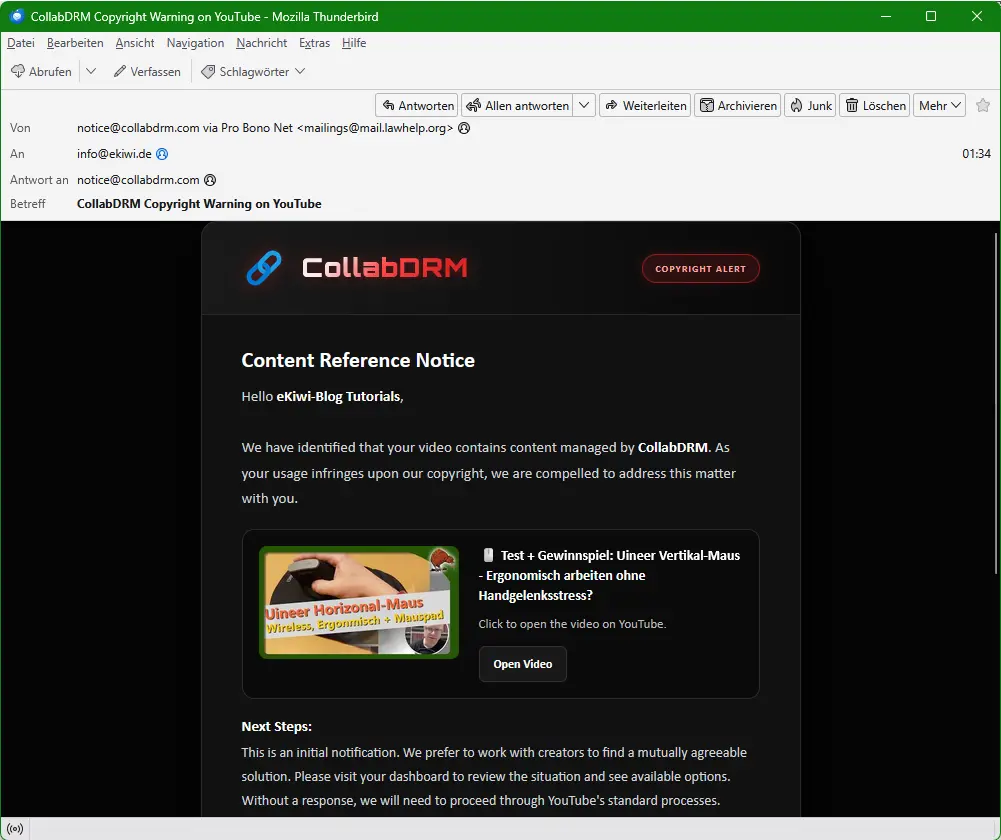
We have identified that your video contains content managed by CollabDRM. As your usage infringes upon our copyright, we are compelled to address this matter with you.
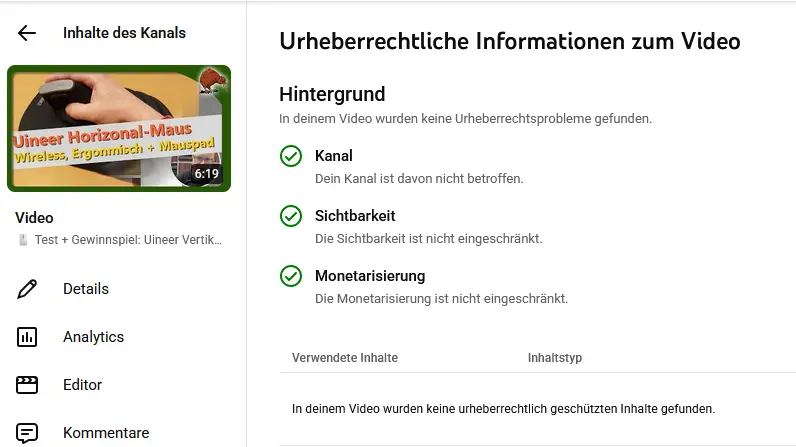
Copyright check on YouTube
First, let’s check if there are any notifications in the YouTube dashboard. As expected, there aren’t any. If there were, then it would at least be possible that the email is legitimate. Since the video only contains footage that we created ourselves, the email is fake!
We click on the link
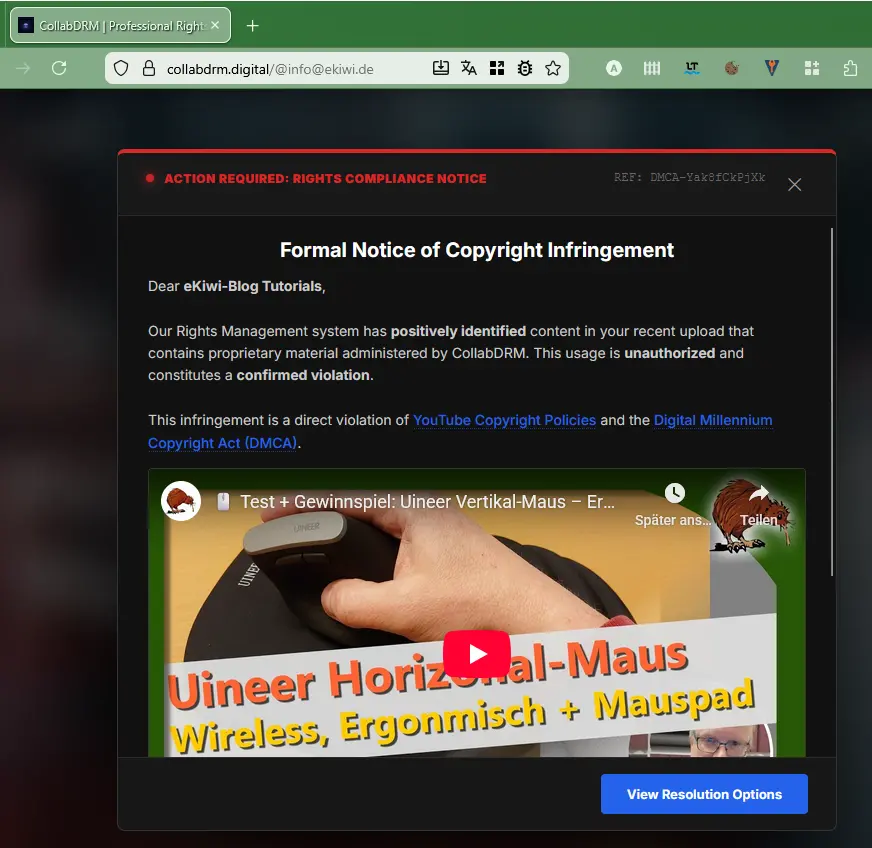
To solve the problem, we are supposed to click on a link to access the dashboard. Normally, we should not do this. We do it anyway and are redirected to the website. Interestingly, our email address appears in the subject line. 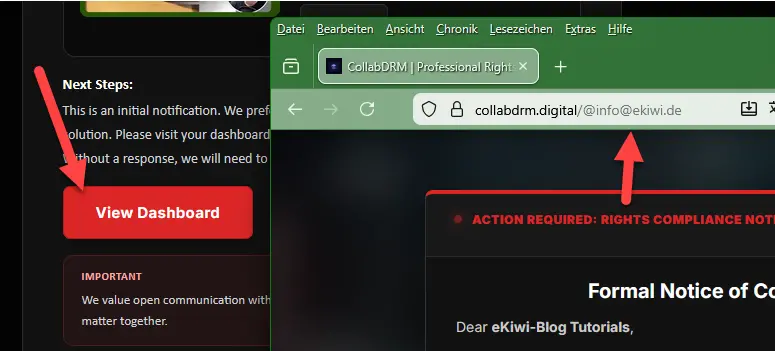
The video also appears, along with our channel name, which suggests that the phishers have deliberately created a page here to lure us into a trap. If we enter a different email address, only an error message appears.
Log in to Google
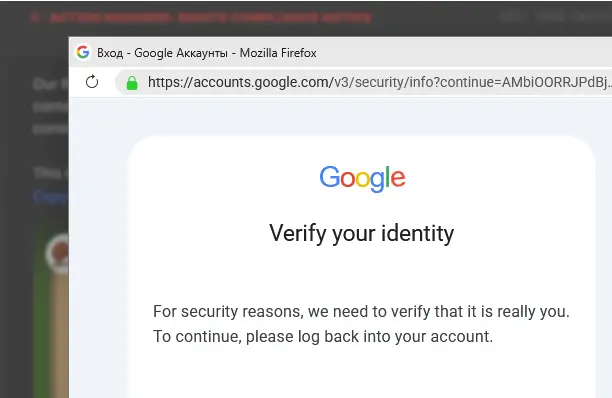
There is a link on the page; if we click on it, a supposed Google login window opens. The Russian script in the title is a definite cause for suspicion. Otherwise, it’s well done: our browser is recognised, the address bar shows Google, there’s a green padlock – everything’s fine, right?
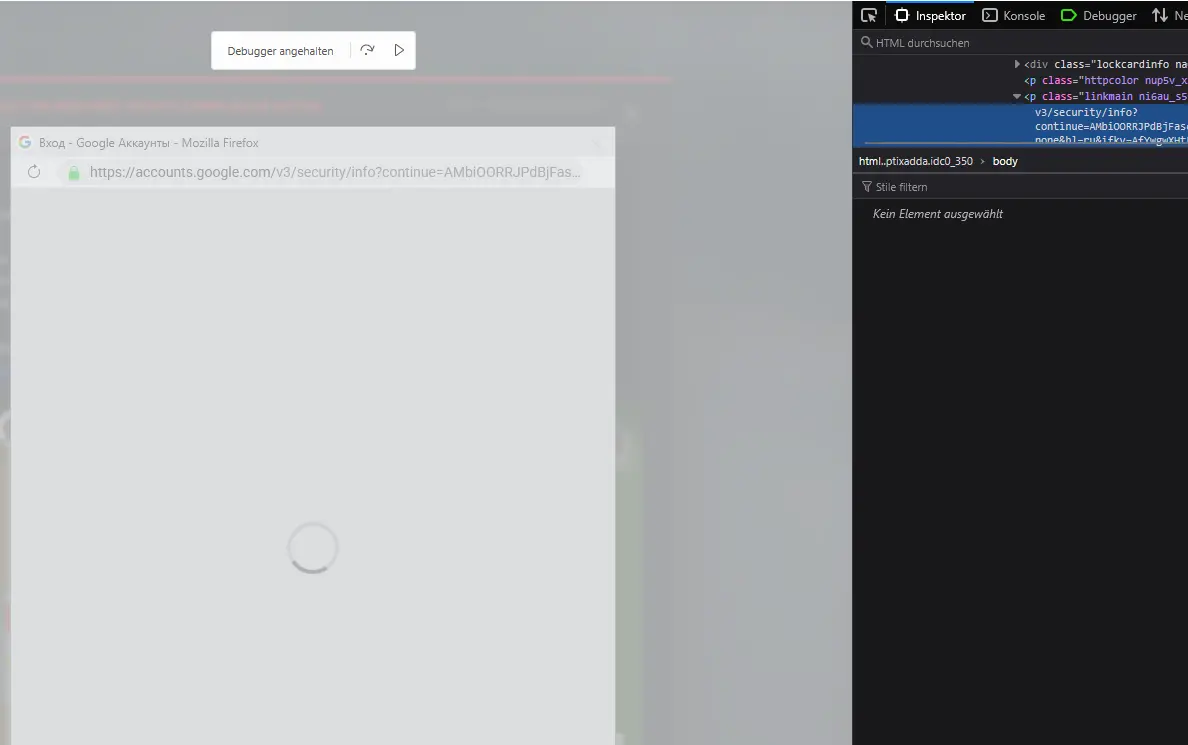
If we switch to the developer options, we can see that the window is created and displayed within the page. In short, the information is fake; we are not on the Google page. Anyone who enters their login details here is handing them over to the scammers
The domain collabdrm.digital
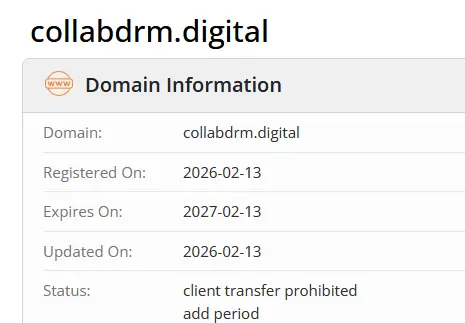
Let’s take a closer look and check the domain “collabdrm.digital” via Whois. Here we find the next strong indication of suspicion: the domain was only registered a few days ago. If we google the real company, we find that it has the domain “https://www.collabdrm.com”.
Conclusion: Perfidious deception with a system
This case impressively shows that phishing is no longer just about faulty mass emails. The attackers rely on targeted social engineering and a technically sophisticated staging:
- Targeted intimidation: The topic of “copyright infringement” puts pressure on users to act quickly and rashly in order to protect their own channel.
- High degree of personalisation: The fact that the user’s own channel name and even the specific video appear on the fake page suggests a dangerous legitimacy.
- Technical deception: The use of a replica browser window (including a fake address bar and SSL lock) within the website is a sophisticated method of lulling even cautious users into a false sense of security.
The most important lessons from this case:
- Always check at the source: Never use links in emails when receiving warnings about platforms such as YouTube. Instead, always go directly to the official dashboard in your browser. If there is no message there, the email is 100% fake.
- Checking the sender is a must: Discrepancies between the sender domain (lawhelp.org), the reply address and the linked target domain (.digital instead of .com) are immediate warning signs.
- Use Whois data: A glance at the registration date of a domain immediately exposes “fresh” scam sites.
Trust is good, but manual verification in the official account backend is vital for the security of your digital identity.
Some time ago I had an issue with legit PicRights, on my website they found an image of WTC north tower collapsing and requested me to pay some three-zeros amount of money as a compensation for using ONE image.
Recently I published a podcast, and for the version posted on YouTube I created a cover image featuring AI-generated World Trade Center look-alikes. Three days later I received an email from ‘collabdrm.digital’ about a ‘copyright infringement’ related to this particular podcast.
I had a lot of things on my head and I was extremely exhausted that day. Then in my mailbox I saw some ‘copyright infringement notice’ about something featuring World Trade Center towers. Felt like I was having a heart attack. Guess what I did. Yup, five minutes later I had another feeling of my heart’s failing because I realized that I just lost access to my account because of my stupidity fueled by exhaustion and emotional reaction.
As soon as my IQ and wisdom levels went back to some safely usable values, I quickly searched for an account recovery form, sent a ton of reports, I also reported two domains used by scammers (collabdrm.digital and another one attached to the fake ‘verify yourself you dumb idiot hahaha’ window) to Microsoft, Google and Polish NASK CERT as domains used to steal login data. Looks like they both have been taken down.
One of my friends who had three security incidents with their YouTube channels told me to set up a profile on a website that used to be called Twitter and try to contact TeamYouTube. With the help of YouTube technical support I regained control over my Gmail, removed any possible backdoors left by the hacker and added a bunch of my own physical security keys I ordered when account recovery was in progress.
Thank you so much for sharing your story! It’s a perfect (and scary) example of how hackers use emotional stress and exhaustion to bypass our logic. I’m glad you managed to regain control and even leveled up your security with physical keys. Hopefully, your experience will help others stay vigilant and avoid falling for this trap. Stay safe!