Dell 5300 – Headphones not recognised when plugged in. Audio switching not working.
I have a Dell 5300, which I have recently started running on Windows again. Under Linux, the sound worked without any issues, specifically the switching between headphones and speakers. Under Windows, it didn’t work quite like that. After plugging in the headphones, the sound continued to come from the internal speakers.
Only after a restart, with the headphones plugged in, did the sound come through them. Annoying, as switching between them isn’t that straightforward in Windows either. The audio devices are listed together as “Speakers/Headphones” in Windows, not as separate devices.

This means you can’t just switch between them; you have to rely on the correct version and functionality of the driver.
Installing Dell drivers and Waves MaxxAudio
We can find the appropriate driver on the Dell website. There are two audio drivers and pieces of software available here: the “Driver for the Realtek High Definition Audio Codec” and the “Waves MaxxAudio Pro application”.
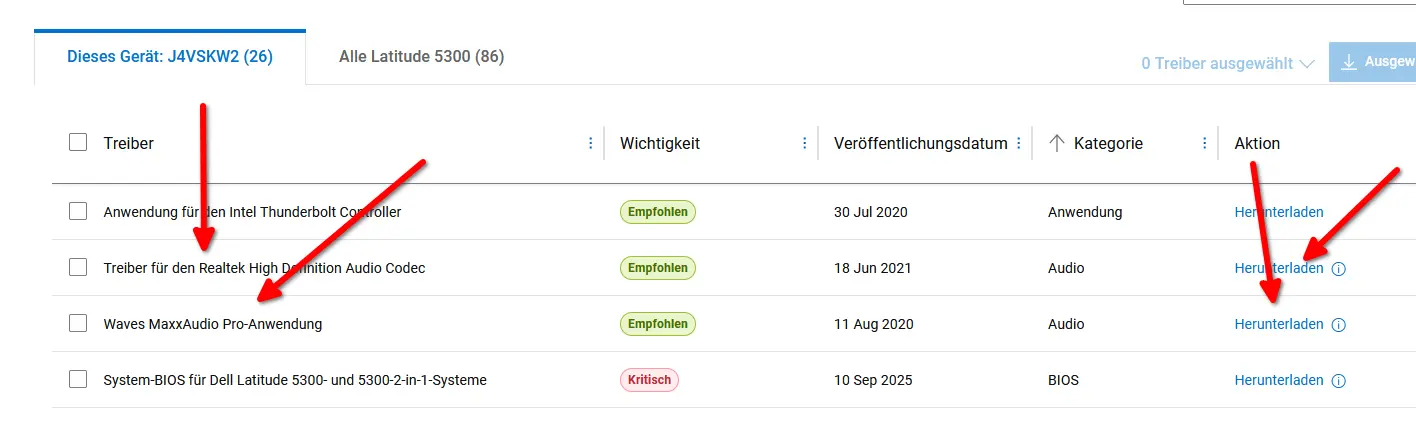
We download and install both of these.

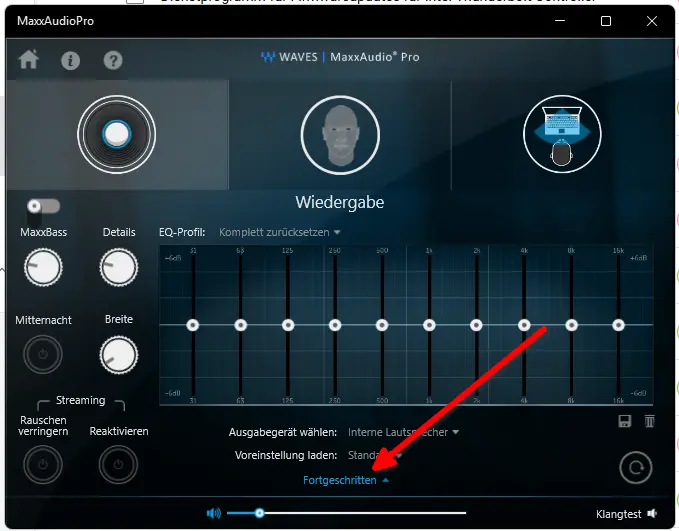
In MaxAudioPro, we can find the output device setting under “Advanced”.
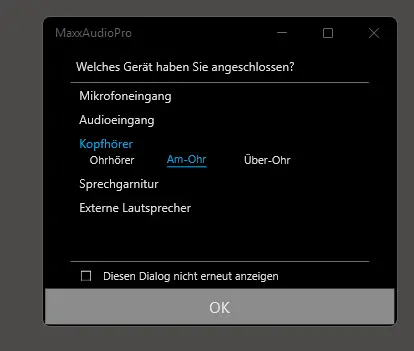
This is where the pop-up dialogue should appear when we plug in headphones. The switching should now work again.

Troubleshooting.
I’ve specifically mentioned ‘should’ here, as I encountered problems again at some point. It worked at first, then stopped working at some point.
What helped me: First, simply reinstall the drivers. Although I had installed the software and drivers, it stopped working. After reinstalling, it worked again.
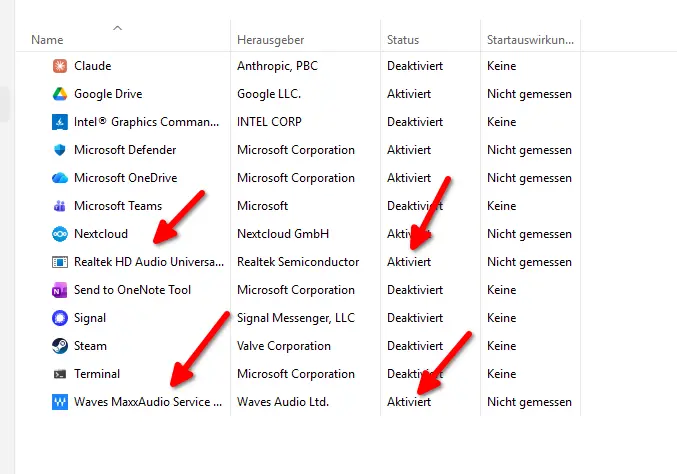
In Task Manager under Startup, the Realtek HD Audio startup items should be enabled, as should the Waves MaxxAudio Service.
Conclusion
A rather clumsy solution from Dell, or rather the driver. Only via this is the switch detected properly.