
Which SSD fits into the Acemagic S1 Mini PC?
A few days ago, I presented the Acemagic S1 Mini PC with LCD display here. My idea is to use it as a small home server and NAS system. I particularly liked the option of installing a second SSD, as it has two M.2 ports.
Which SSD for the Acemagic S1 Mini PC?
The first question was which SSD can be installed. M.2 is not M.2 and according to the data sheet, only the first slot can accommodate a fast NVME SSD. The second port is a SATA port.
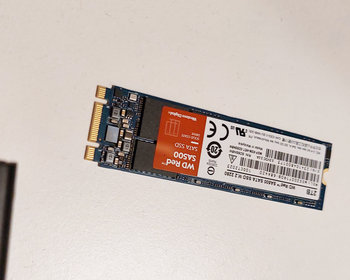
That’s why I also bought a SATA M.2 SSD here. I ended up with a 2 TB WD RED. A normal SSD would probably have sufficed. The RED products are designed for continuous use in servers or NAS systems and should last longer. We’ll see.


- Hohe Geschwindigkeit für schnelle Systemstarts: Mit bis zu 550 MB/s beim Lesen und 500 MB/s beim...
- Kompaktes Upgrade für moderne Systeme: Das kompakte M.2-2280-Format ermöglicht eine einfache...
- Moderne 3D-NAND-Technologie: 3D-NAND-Speicher mit SLC-Datenturbo-Cache sorgt für schnelle...


- Hohe Geschwindigkeit für schnelle Systemstarts: Mit bis zu 550 MB/s beim Lesen und 500 MB/s beim...
- Kompaktes Upgrade für moderne Systeme: Das kompakte M.2-2280-Format ermöglicht eine einfache...
- Moderne 3D-NAND-Technologie: 3D-NAND-Speicher mit SLC-Datenturbo-Cache sorgt für schnelle...

- Hohe Geschwindigkeit für schnelle Systemstarts: Mit bis zu 550 MB/s beim Lesen und 500 MB/s beim...
- Kompaktes Upgrade für moderne Systeme: Das kompakte M.2-2280-Format ermöglicht eine einfache...
- Moderne 3D-NAND-Technologie: 3D-NAND-Speicher mit SLC-Datenturbo-Cache sorgt für schnelle...
Installing the SSD
Installation is very simple. The side panel can be easily removed. Then insert the SSD and screw it in. That’s it!
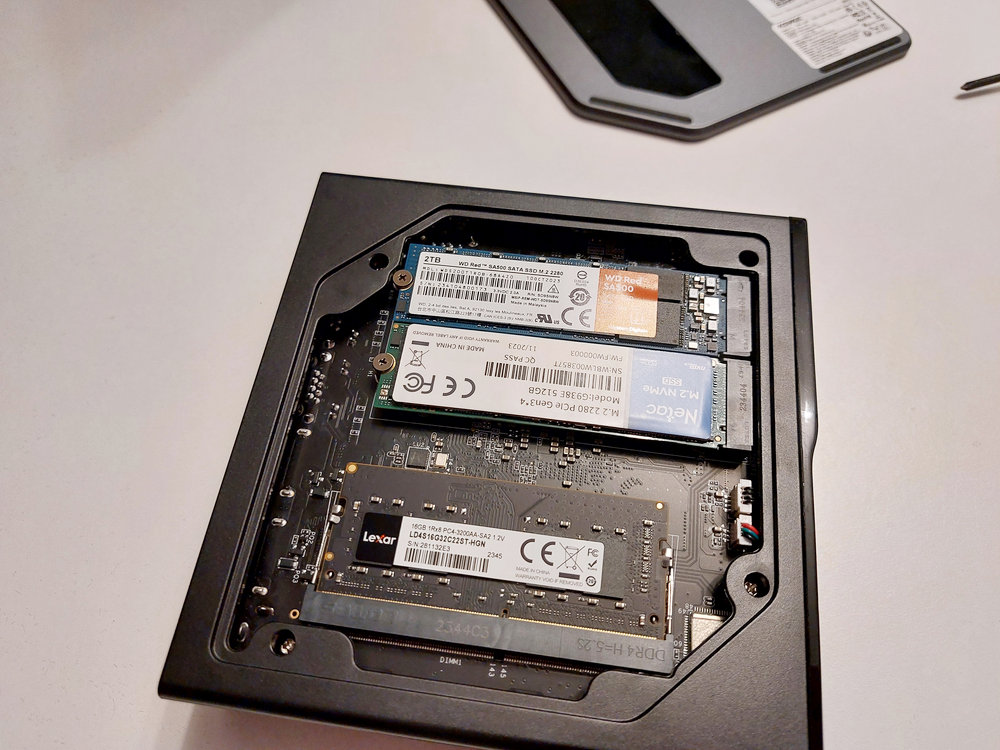
The hard drive was then recognised and could be formatted.

Conclusion
Basically, there is not much to report here. The only important thing is to buy an M.2 SSD with SATA. Then there should be no problems.

- 【AMD RYZEN 7 H 255】Dieser Mini-PC wird vom AMD Ryzen 7 H 255 Prozessor (8 Kerne / 16 Threads...
- 【Überragende Grafikleistung mit AMD Radeon 780M】Der Retro verfügt über einen integrierten AMD...
- 【Ausreichend Speicher & flexibel erweiterbar】Ausgestattet mit 16 GB LPDDR5-6400 MT/s...

- 【Hochleistungsfähige 8-Kern-Zen4-Architektur】Der ACEMAGIC W1 Mini-PC verfügt über einen...
- 【Großzügiger Speicher】Der ACEMAGIC W1 Mini-PC kombiniert 16 GB fest verbauten...
- 【Ausgewogene Grafikleistung】Der ACEMAGIC W1 Mini-PC nutzt die integrierte AMD Radeon...

- ⚡【ÜBERLEGENENE LEISTUNG】 Der ACEMAGIC K1 ist mit dem hochmodernen Intel Core...
- ⚡【Flexible Speichererweiterung】Verfügt standardmäßig über 16 GB DDR4-Speicher...
- ⚡【DREIFACH-MONITOR & ERWEITERUNGS-POWER】Maximieren Sie Ihre Produktivität und Ihr...