
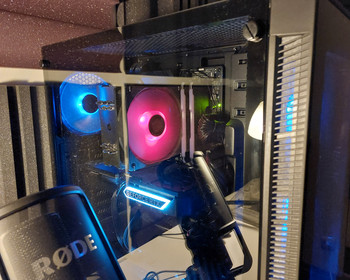
Call up UEFI/BIOS on the ASUS ROB Strix.
Today I had to have a look at the BIOS of my desktop computer. The question at this point is always which key to press when booting. Sometimes it’s ESC, sometimes F2, F10, F12, Enter or the Delete key. Sometimes something completely different.
If you have an Asus mainboard, simply press the F2 key repeatedly when booting. Remove also works.

And bang, you’re in the UEFI BIOS.

SaleBestseller No. 1

ASUS ROG CROSSHAIR X870E HERO Mainboard Sockel AM5
- Kompatibilität mit AMD Ryzen 7000: Das ASUS ROG Crosshair X870E Hero AM5 Mainboard ist perfekt...
- Stabile Stromversorgung: Mit 12+2 Power Stages, 8+4 ProCool-Sockeln und Legierungsspulen bietet das...
- High-Speed-Konnektivität: Das ASUS X870E bietet M2 PCIe 50, USB 32 Gen 2x2 Type-C und...
489,90 EUR

Buy on Amazon
Bestseller No. 2

ASUS ROG Strix B850-F Gaming WiFi Mainboard Sockel AMD AM5
- ASUS B850 Mainboard für AI-Computing: Leistungsstarke Plattform für zukünftige KI-Anwendungen mit...
- AM5 Mainboard für Ryzen 9000, 8000 & 7000 CPUs: Maximale Performance & Zukunftssicherheit für dein...
- Intelligente Steuerung mit AI Advisor & AI Networking II: Einfache Einrichtung & optimierte Leistung
251,53 EUR
Buy on Amazon
Bestseller No. 3

ASUS ROG Strix B550-F Gaming Mainboard Sockel AM4
- Dieses Mainboard ist bereit für AMD Ryzen: Der AM4-Sockel unterstützt AMD-Ryzen-Prozessoren der...
- Profitieren Sie von erstklassiger Konnektivität mit diesem Gaming Mainboard: PCIe 40, zwei...
- Das ASUS ROG Mainboard bietet zuverlässige Netzwerkverbindung: Intel zwei,fünf Gbits-Ethernet mit...
131,22 EUR
Buy on Amazon