
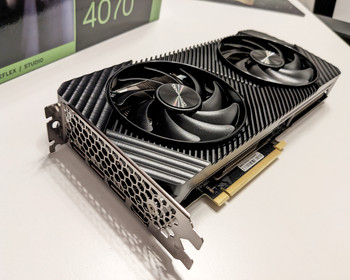
… configure or deactivate. This is how it works!
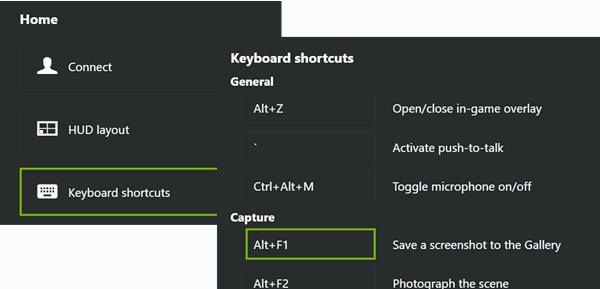
After installing my new Geforce graphics card and the software tools, I quickly noticed that keyboard shortcuts such as ALT + F1 or ALT + F2 no longer worked. These are frequently used keyboard shortcuts in the Total Commander therefore very annoying.
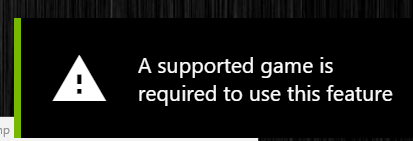
Instead, all I got was the message “A supported game is required to use this feature”. I thought of Windows at first. Functionally, perhaps somehow in the direction of Gamebar, the thing has similar messages.
Video
Geforce Experience
But it wasn’t, the Geforce Experience software is behind it. It uses the overlay function to grab a whole host of keyboard shortcuts. Unfortunately, these are not only active in games, but also when working. Well, real gamers only play games.
Disable completely
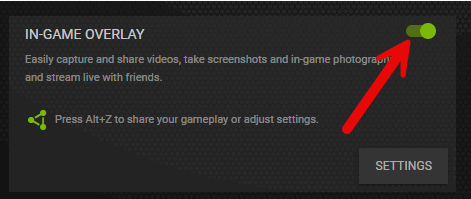
The easiest and quickest way is to deactivate the spook completely. To do this, we go to the settings and deactivate the overlay. This is my action of choice, I work most of the time and don’t need the rest.
Reconfigure keyboard shortcuts
Alternatively, the keyboard shortcuts can also be assigned differently so that they do not interfere. To do this, we go to the settings, where we find the “Keyboard shortcuts” and can view and change them here.

- Angetrieben von der NVIDIA Blackwell Architektur und DLSS 4
- SFF-Ready Enthusiast GeForce Karte
- Axial-Tech-Lüfter verfügen über eine kleinere Lüfternabe, die längere Flügel ermöglicht, und...


- KI-Leistung: 648 AI TOPS; OC-Modus: 2677 MHz (OC-Modus)/ 2640 MHz (Standardmodus); Basierend auf der...
- OC-Modus: 2677 MHz (OC-Modus)/ 2640 MHz (Standardmodus)
- Basierend auf der NVIDIA Blackwell Architektur und DLSS 4

- NVIDIA Ampere Streaming-Multiprozessoren: Der brandneue Ampere SM bietet den 2-fachen FP32-Leistung...
- Tensor Cores der 3. Generation: Erreiche bis zu 2-facher Leistung mit struktureller Sparsamkeit und...
- RT-Kerne der 2. Generation: Bis zu 2-fache Leistung im Vergleich zu RT-Kernen der 1. Generation...