
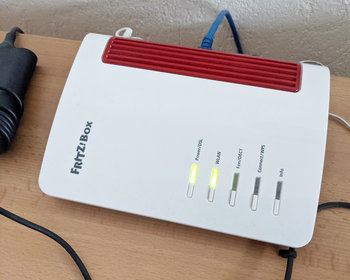
Fixed IP address for certain devices in the home WLAN, that’s how it works.
After I had set up Wireguard and wanted to test it on the road, I noticed that I didn’t know the IP address of my computer for remote access on the road. With Tailscale it is not a problem, here I can simply check in the app which IP addresses the other devices currently have.
In my case it was easy after all, as the IP address was 192.168.178.20 and therefore quite easy to remember. Normally, the IP addresses are assigned dynamically by the Fritzbox. This means that the device logs on and is automatically assigned an IP address from a defined range.
According to my observations, the respective device keeps the IP address or gets it assigned again and again, provided it logs on regularly. However, this is not guaranteed.
Setting a fixed IP address for a device
The Fritzbox itself offers the possibility to assign a fixed IP address to a device. To do this, we open the settings. Here we click on “Network”. Here we see a long or short list of devices that are currently registered or used to be. We now find the device and edit it.
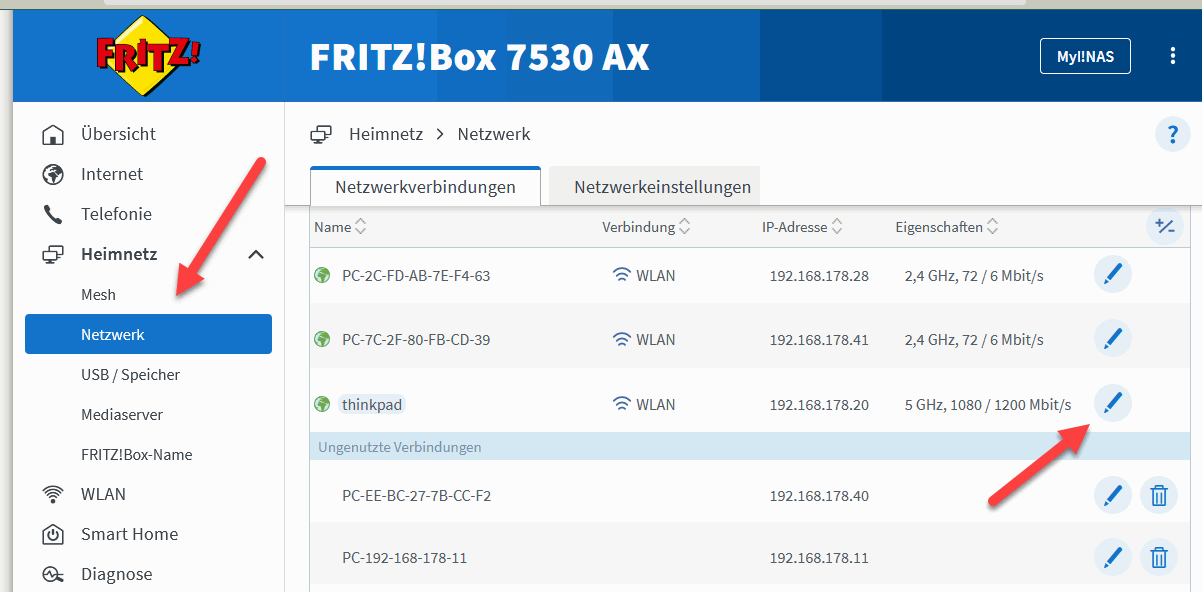
In the settings for the IP address, we can now define this and also set the check mark that the device should always be assigned this address.


- Wi-Fi 7 für extrem hohe Leistung, bis zu 7,1 GBit/s - für maximale Kapazität, minimale Latenz und...
- Perfekt für Homeoffice, Streaming & Gaming – starke DSL-Performance für reibungsloses Arbeiten...
- WLAN Mesh - Mehrere WLAN-Zugangspunkte werden zu einem WLAN-Netz mit optimaler Leistung...

- Leistungsstarker DSL-Router mit Wi-Fi 6 bis zu 2.400 MBit/s und DSL-Geschwindigkeiten bis 300 MBit/s...
- WLAN Mesh - Mehrere WLAN-Zugangspunkte werden zu einem WLAN-Netz zusammengefasst, erweiterbar mit...
- Höchste Sicherheitsstandards - modernes WLAN mit WPA3-Verschlüsselung und regelmäßigen...

- Ultraschnelles Wi-Fi 7 - Highspeed-WLAN direkt am Glasfaseranschluss mit bis zu 6.448 MBit/s...
- Direkt anschließen, sofort startklar - kompatibel mit den Glasfaserstandards GPON- und AON...
- WLAN Mesh - Mehrere WLAN-Zugangspunkte werden zu einem WLAN-Netz zusammengefasst, erweiterbar mit...