
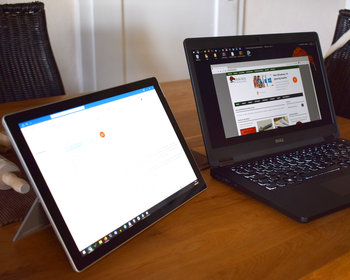
Monitorian is a software to control the screen brightness in Windows directly with a software.
The screen brightness usually has to be adjusted awkwardly via buttons and menu on the monitor. This is particularly inconvenient with several monitors if you want to adjust the brightness during the day according to the ambient brightness.
The solution is software. So far I use the software “ClickMonitorDDC” for this. A modern alternative is the open source software “Monitorian“. The software can be obtained directly from the developer’s homepage or also from the Windows Store. After starting the software, the monitors are recognised and the brightness can be quickly adjusted via a slider.
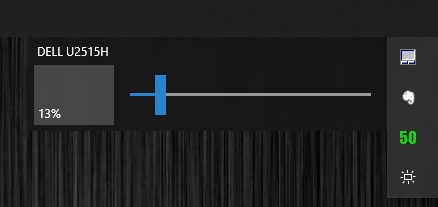
If several displays are connected, an extra slider is displayed for each one.
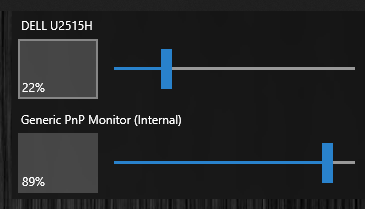
The software works with external monitors as well as with laptops or Surface devices.
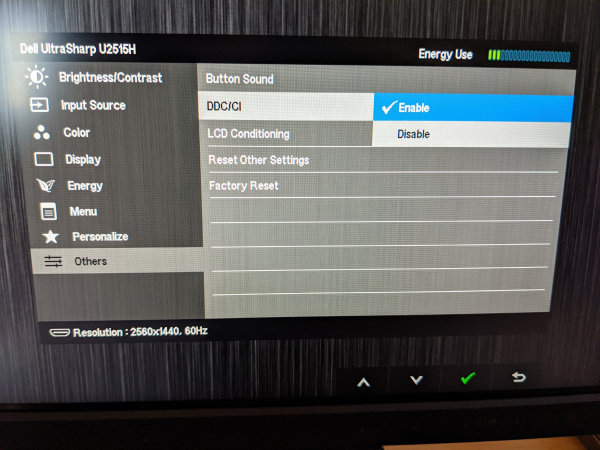
To use the software, the monitor must support DDC or have it activated. Most monitors support control of the settings via DDC/CI. If necessary, this must be configured in the settings.
Conclusion
If you often have to adjust the screen brightness, the software will make your work much easier.

- 【Praktischer Tipp】Wenn Ihr Bildschirm flackert oder schwarz wird: (1) Der USB-C-Anschluss Ihres...
- 【Leicht und mobil】Nur 740 g und 0,51 cm dünn – passt problemlos in jede Laptoptasche. Ideal...
- 【Lebendiges Display für ganztägigen Komfort】1920×1080 FHD-IPS-Panel mit einem...

- 【15,6 Zoll Tragbarer Monitor】 Mit einer Auflösung von 1920 x 1080P, einem Betrachtungswinkel...
- 【Ultraschlank, Ultraleicht und Tragbar】15,6 Zoll laptop bildschirm erweiterung Gewicht: 0.8 KG...
- 【Plug and Play】 Keine Apps und Treiber erforderlich. Wenn Ihr Gerät über einen USB-C-Anschluss...